

I participated in a company wide 24hr hackathon and here's how it went

Run through of the idea
I did a last minute registration, couldn't find anyone to join me, with a bit of hesitation ran solo 😑
Most of the themes were focused towards company's product use cases. I ended up picking the General theme, because I was not interested in any of them.
There was an area which bugged me for quite sometime and it was around HTTP polling which we were doing in a lot of places in our cloud app. The first thought that came to my mind was to use SignalR to be able to switch to a more real-time data transfer from server to client. The only problem was SignalR exposes a bidirectional channel and for the issue in hand it seemed unnecessary. The problems I wanted to solve were around status updates, log streaming etc wherein after a client-server handshake is established the client would not be sending any data to the server.
While exploring for other real-time data transfer options and talking to few other colleagues I came across this little known HTTP feature called Server-Sent Events, and it was exactly what I was looking for 👌
- It created a
unidirectional channel Lightweightwith less bloatEasyto setup
From Wikipedia
Server-Sent Events (SSE) is a server push technology enabling a client to receive automatic updates from a server via an HTTP connection, and describes how servers can initiate data transmission towards clients once an initial client connection has been established.
Overall design
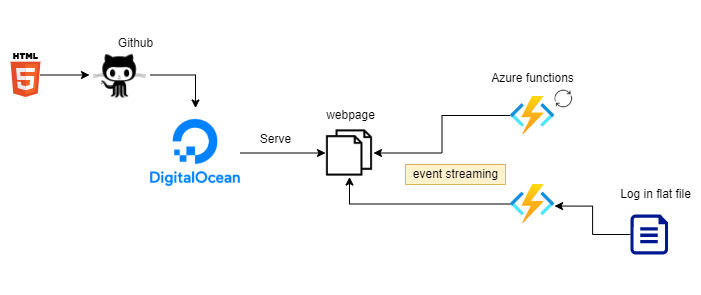
I am going to talk about a redacted and miniature version of what I built, but overall the same concepts would apply. By no means these are production ready 😋
Building blocks
Step 1 - Expose an Azure function to push text as events
Inside your Azure function app,
Navigate to Development Tools > Advanced Tools
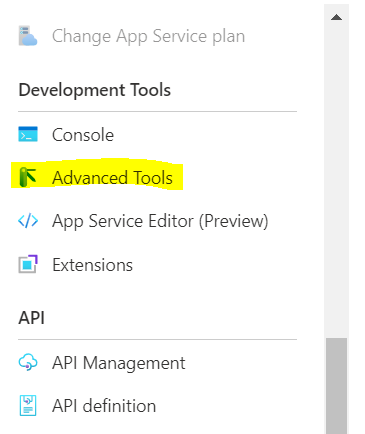
That should open up kudu service that runs your function app
Navigate to Debug Console > CMD
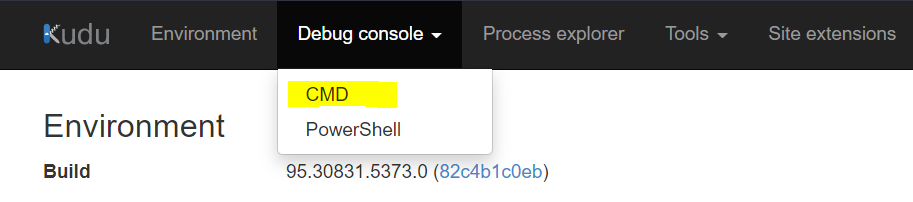
Find wwwroot sub folder and add a SampleLog.txt there (put whatever content you would want to send as events)
With our log file in place, lets create a function to access it.
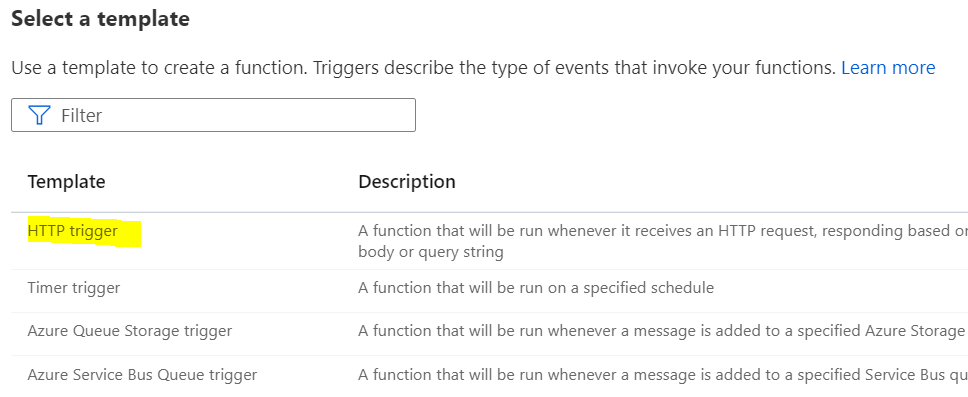
Head back to functions tab and create a function
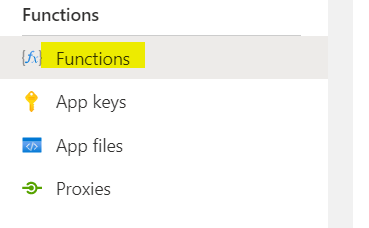 Select a HTTP trigger template, since we need an API
using System.Net;
using Microsoft.AspNetCore.Mvc;
using Microsoft.Extensions.Primitives;
using System;
using System.Text;
using System.IO;
public static async Task Run(HttpRequest req, ILogger log, ExecutionContext context)
{
    var sampleLogPath = System.IO.Path.Combine(context.FunctionDirectory, "..\\SampleLog.txt");
    var allText = await File.ReadAllTextAsync(sampleLogPath);
    req.HttpContext.Response.Headers.Add("Content-Type", "text/event-stream");
    foreach (var line in allText.Split("\n"))
    {
        await Task.Delay(2000);
        byte[] bytes = Encoding.ASCII.GetBytes($"data:{line}\n\n");
        await req.HttpContext.Response.Body.WriteAsync(bytes);
        await req.HttpContext.Response.Body.FlushAsync();
    }
}
The response should start with
data:and end with\n\n, as browsers look at this to figure that these are chunked events.
Step 2 - Expose an Azure function to send status updates at random intervals
Create another function, select the HTTP trigger template again
using System.Net;
using Microsoft.AspNetCore.Mvc;
using Microsoft.Extensions.Primitives;
using System.Text;
public static async Task Run(HttpRequest req, ILogger log)
{
    string[] states =
    {
        "Lorem", "Ipsum", "is", "simply", "dummy", "text", "of ", "the", "printing", "and", "typesetting", "industry"
    };
    req.HttpContext.Response.Headers.Add("Content-Type", "text/event-stream");
    Random random = new Random();
    for (short i = 0; i < states.Length; i++)
    {
        await Task.Delay(random.Next(5, 15) * 1000);
        byte[] bytes = Encoding.ASCII.GetBytes($"data:{states[i]}\n\n");
        await req.HttpContext.Response.Body.WriteAsync(bytes);
        await req.HttpContext.Response.Body.FlushAsync();
    }
}
Our backend APIs are ready and serving data now.
Step 3 - Create a simple static page that has logic to consume both the events
Do make sure to replace the eventsource endpoints, I may delete my function app after a while
<!DOCTYPE html>
<html lang="en">
<head>
<link rel="stylesheet" href="https://cdnjs.cloudflare.com/ajax/libs/font-awesome/6.0.0-beta3/css/all.min.css" integrity="sha512-Fo3rlrZj/k7ujTnHg4CGR2D7kSs0v4LLanw2qksYuRlEzO+tcaEPQogQ0KaoGN26/zrn20ImR1DfuLWnOo7aBA==" crossorigin="anonymous" referrerpolicy="no-referrer" />
</head>
<body>
<i class="fas fa-file-alt fa-2x" onclick="streamlog()"></i>
<i class="fas fa-tasks fa-2x" onclick="streamevent()"></i>
<div id="cards" class="card-columns">
</div>
<script>

function streamlog() {
    var cards = document.getElementById("cards");
    var cardHtml = '<div class="card" style="background-color: #343a40!important; width:500px; height:300px; overflow-y: scroll;"><div class="card-header" style="background: #343a40; color:white">Log</div><div class="card-body" style="background: #343a40; color: yellow"><p id="log"></p></div></div>'
    cards.insertAdjacentHTML("beforeend", cardHtml);
    var logSource = new EventSource('https://kd-playground-functionapp.azurewebsites.net/api/StreamLogs?code=MuFPYxFQhc1q7CaxM2X8e8PLoJGoJWpo/8QUWABctC1g7WCObi9cOQ==');
    logSource.onmessage = function(event)
    {
        var element = document.getElementById('log');
        if (element)
        {
            element.textContent += "<br>" + event.data;
        }
    };
}
function streamevent() {
    var cards = document.getElementById("cards");
    var cardHtml = '<div class="card" style="width:200px; height:300px;border:1px; background-color:#311b92;"><div class="card-header" style="color:white">Event Status</div><div class="card-body"><p id="status"></p></div></div>'
    cards.insertAdjacentHTML("beforeend", cardHtml);
    var logSource = new EventSource('https://kd-playground-functionapp.azurewebsites.net/api/HttpTrigger1?code=5C8YjKcM2D3Oj10iAq8F3BLHwnzkjNHMS24mac4tkG8pwxnP1ZGjzA==');
    logSource.onmessage = function(event)
    {
        var element = document.getElementById('status');
        if (element)
        {
            element.textContent += "<br>" + event.data;
        }
    };
}
</script>
</body>
</html>
Step 4 - Create a repository in GitHub and push the html file
This should be pretty straight forward.
Step 5 - Serve html pages via DigitalOcean
You can use your preferred platform too
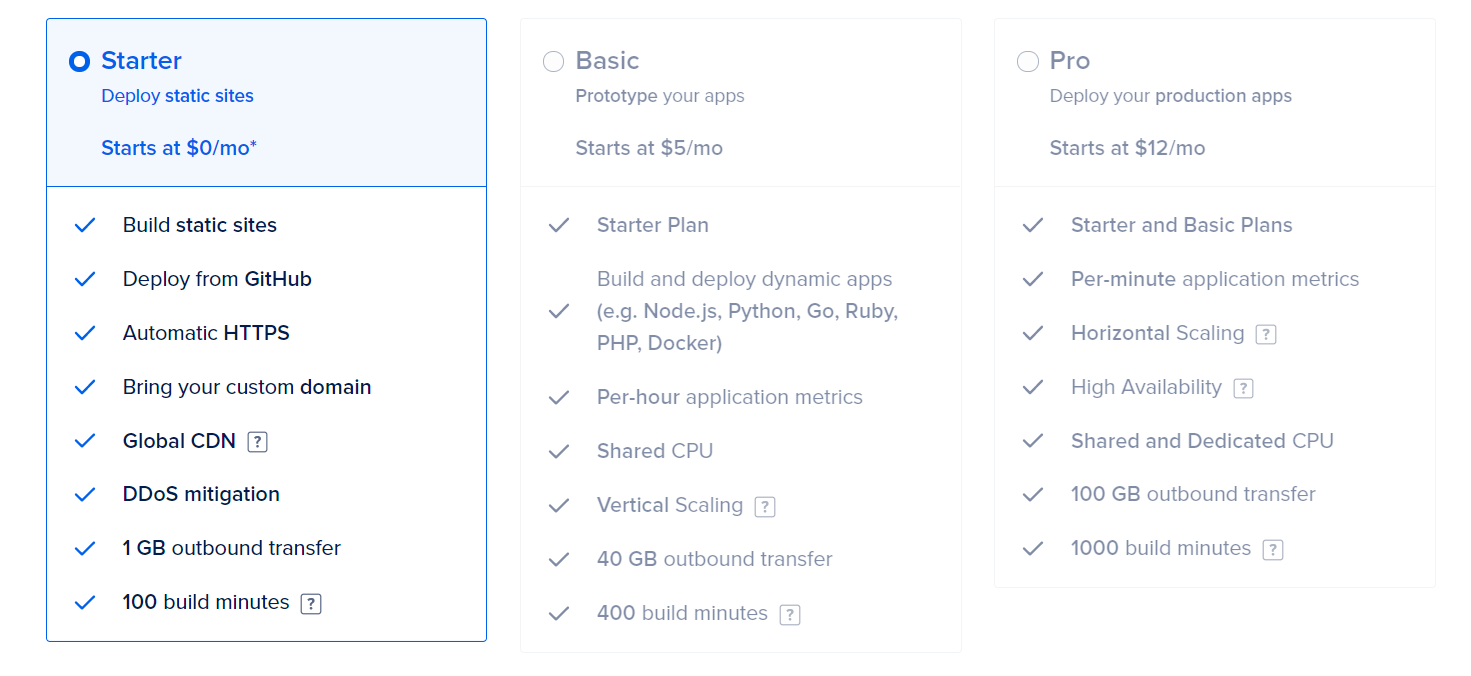
You should be able to create a DigitalOcean account using GitHub. They do give a 100$ free credit but in any case I think 3 static pages are free 😎
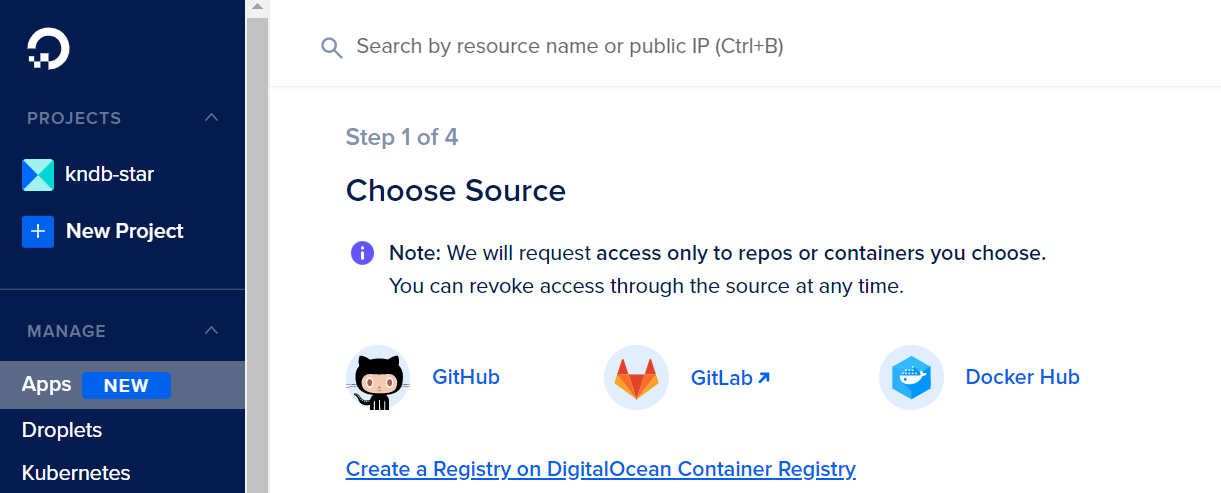
- Create a new app, select source as GitHub
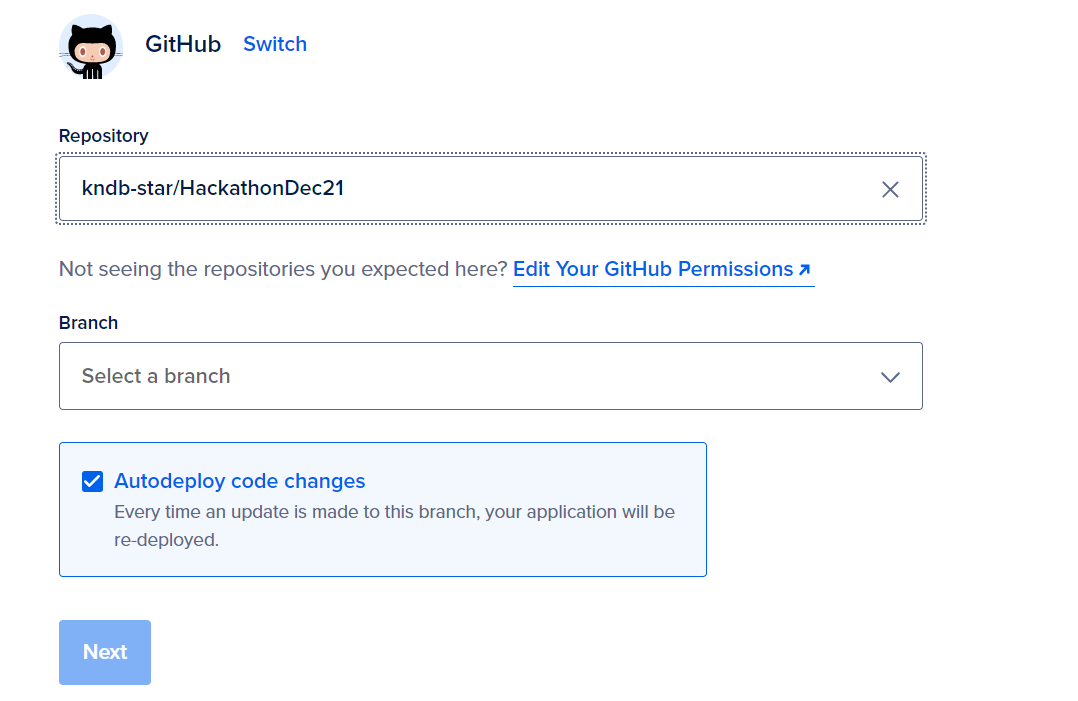
- Select your repository and branch
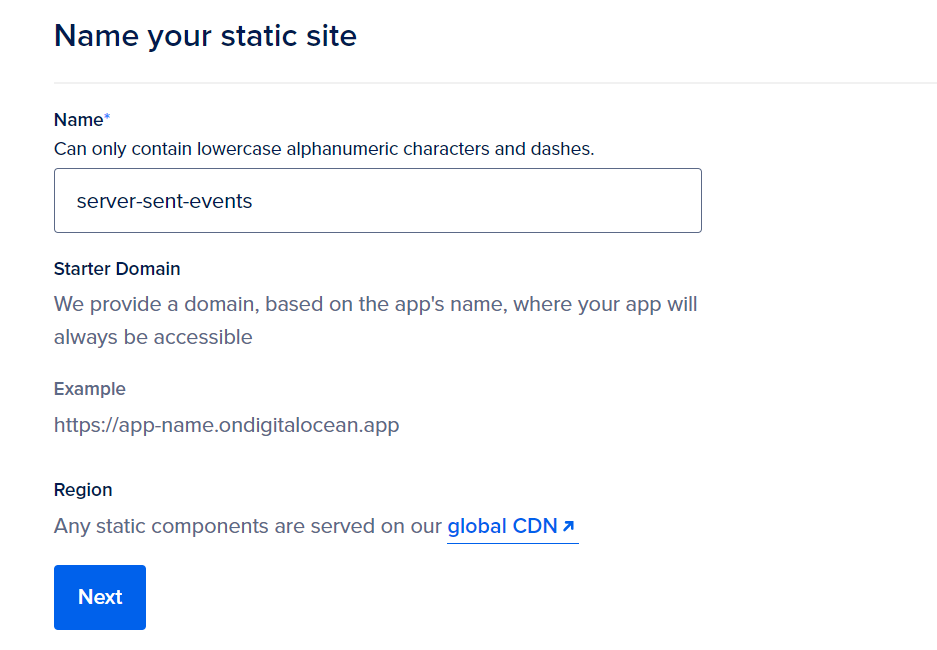
- Name your static site
- Select starter pack and launch
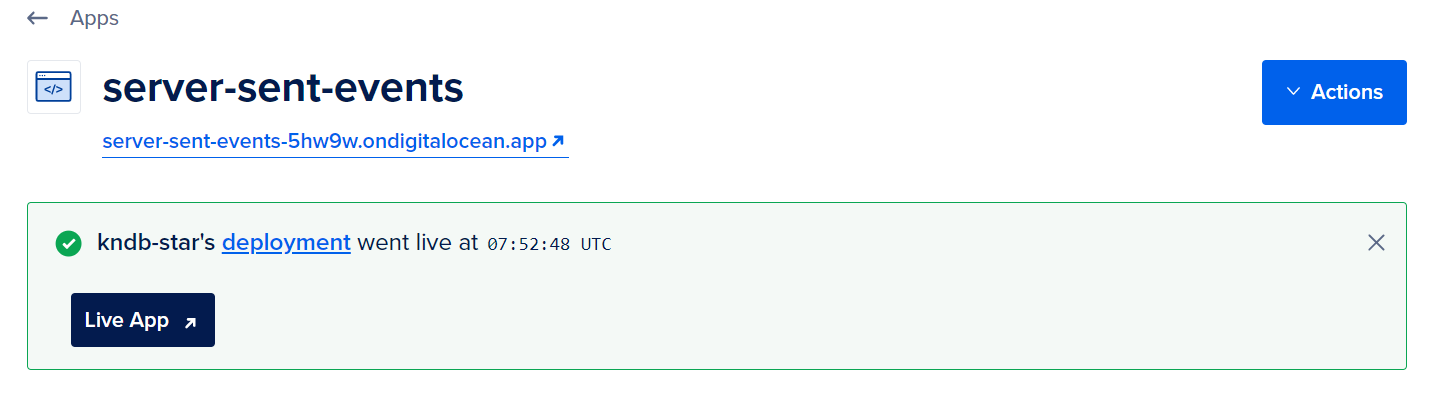
- Once the build completes we should have our page deployed at a public URL
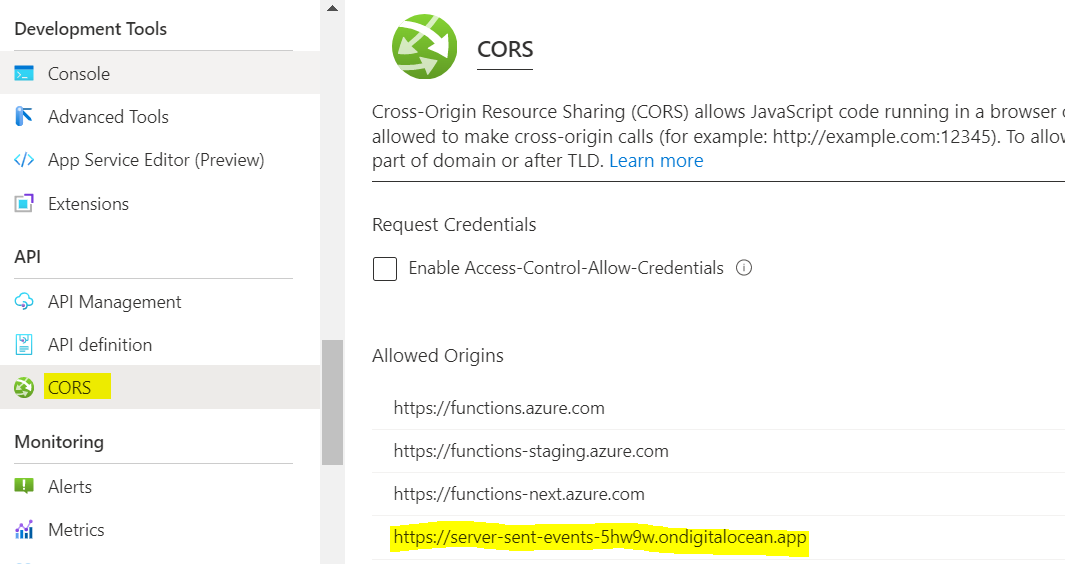
- Dont forget to add a CORS entry in your Azure function app for this URL
Final outcome
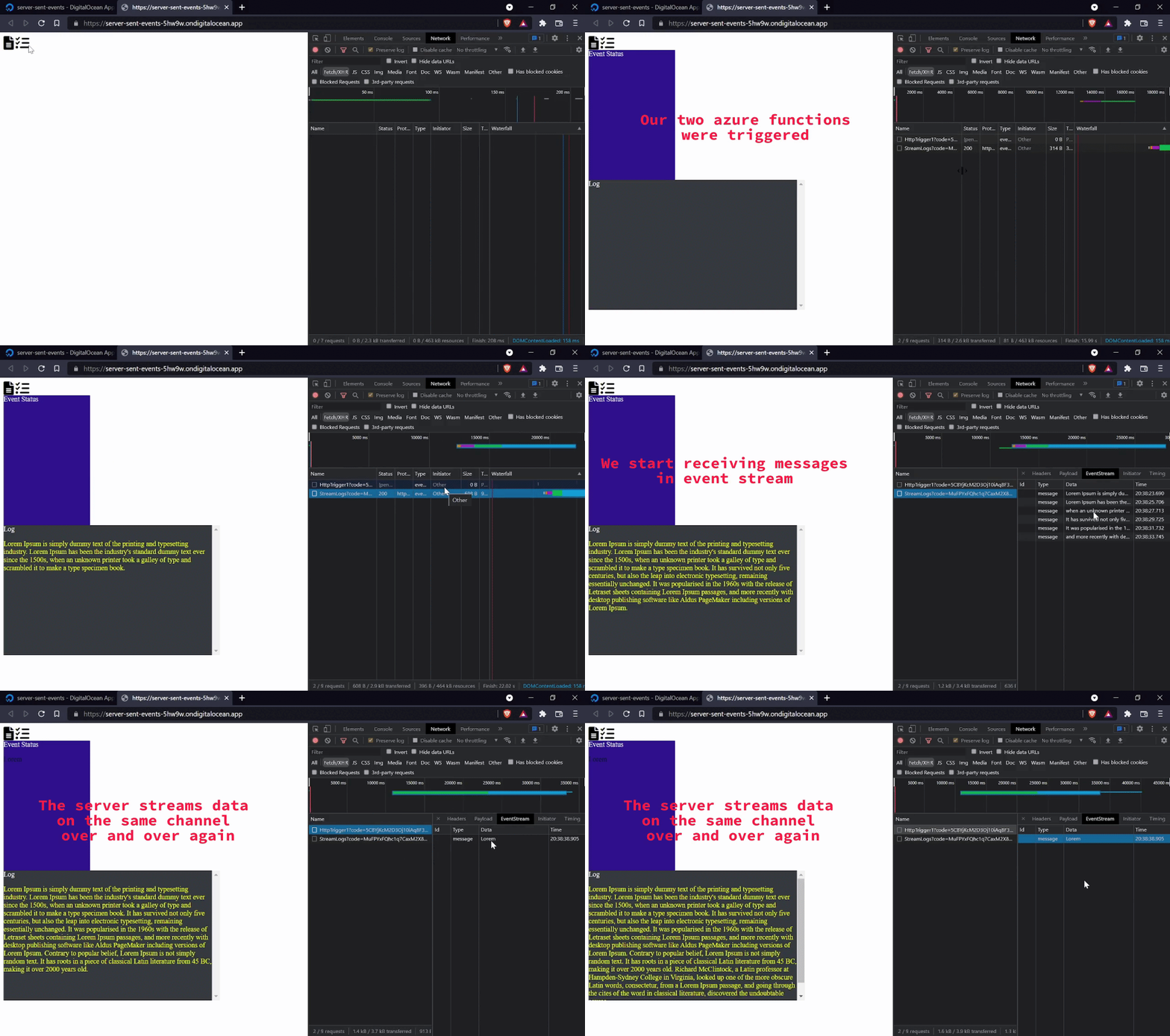
- By default, if the connection between the client and server closes, the
connection is restarted, until it is explicitly closed by the client. Multiple eventscan be transferred over the same channel.Different eventscan be transferred over the same channel.
Break down of 24hrs
- ~10% spent on wrapping my head around what I wanted to build, feasibility in my mind
- ~20% spent on creating and testing azure functions
- ~40% spent on front end code :( i hate css
- ~20% spent on bringing it all together and e2e testing
- ~10% on prep for demo
- Also I did some basic research even before hackathon day 🤓
Few takeaways
- Make sure to ensure feasibility, you don't want to bang your head and end up pivoting, no harm in doing some
research. - Keep accounts created beforehand with
max max max access. Jump straight into demo, do not build fancy presentations, there is no point if you cant showcase what you were able to build.- Keep some
buffer for questions, more questions mean people actually are interested and find value, OR they just didn't get it, in any case you get to explain them again.
Resources
- Mozilla documentation on Server sent events
- Checkout DigitalOcean
- Checkout Azure functions


