# I participated in a company wide 24hr hackathon and here's how it went
## Run through of the idea
I did a last minute registration, couldn't find anyone to join me, with a bit of hesitation ran solo 😑
Most of the themes were focused towards company's product use cases. I ended up picking the General theme, because I was not interested in any of them.
There was an area which bugged me for quite sometime and it was around `HTTP polling` which we were doing in a lot of places in our cloud app. The first thought that came to my mind was to use `SignalR` to be able to switch to a more real-time data transfer from server to client. The only problem was `SignalR` exposes a `bidirectional channel` and for the issue in hand it seemed unnecessary. The problems I wanted to solve were around status updates, log streaming etc wherein after a client-server handshake is established the client would not be sending any data to the server.
While exploring for other real-time data transfer options and talking to few other colleagues I came across this little known `HTTP` feature called `Server-Sent Events`, and it was exactly what I was looking for 👌
* It created a `unidirectional channel`
* `Lightweight` with less bloat
* `Easy` to setup
**From Wikipedia**
>Server-Sent Events (SSE) is a server push technology enabling a client to receive automatic updates from a server via an HTTP connection, and describes how servers can initiate data transmission towards clients once an initial client connection has been established.
## Overall design
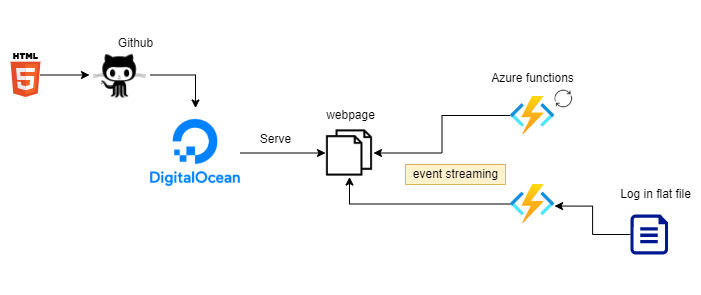
I am going to talk about a redacted and miniature version of what I built, but overall the same concepts would apply. By no means these are production ready 😋
## Building blocks
### Step 1 - Expose an Azure function to push text as events
Inside your Azure function app,
Navigate to `Development Tools` > `Advanced Tools`
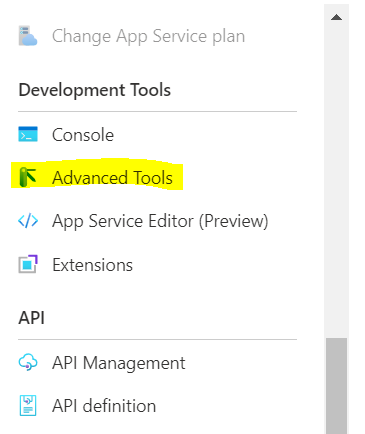
That should open up `kudu service` that runs your function app
Navigate to `Debug Console` > `CMD`
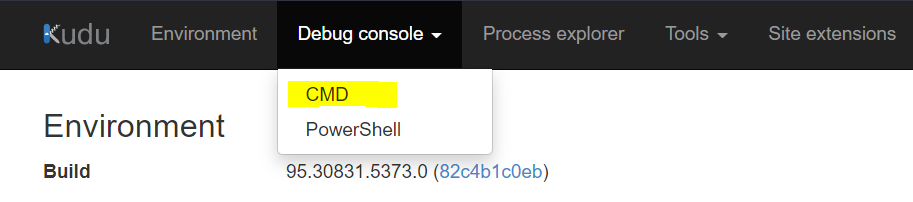
Find `wwwroot` sub folder and add a `SampleLog.txt` there (put whatever content you would want to send as events)
With our log file in place, lets create a function to access it.
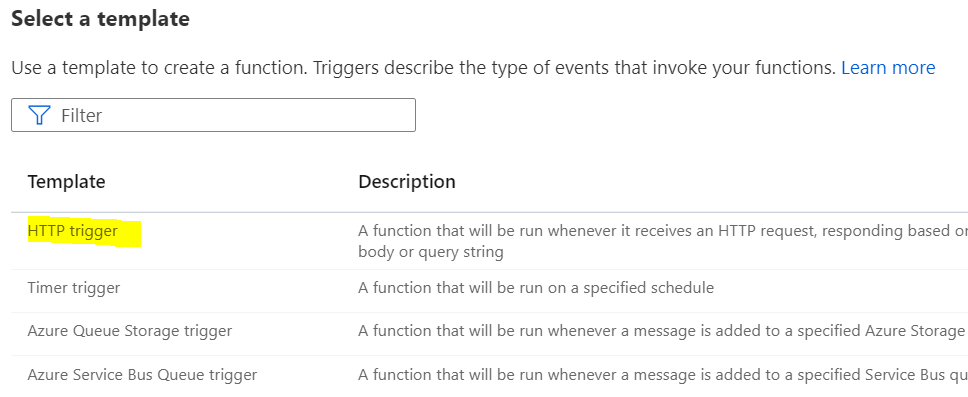
Head back to functions tab and create a function
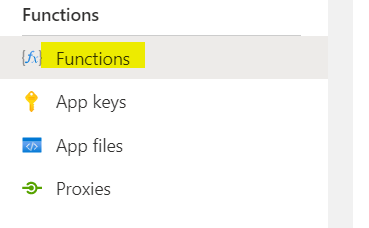
Select a HTTP trigger template, since we need an API
```csharp
using System.Net;
using Microsoft.AspNetCore.Mvc;
using Microsoft.Extensions.Primitives;
using System;
using System.Text;
using System.IO;
public static async Task Run(HttpRequest req, ILogger log, ExecutionContext context)
{
var sampleLogPath = System.IO.Path.Combine(context.FunctionDirectory, "..\\SampleLog.txt");
var allText = await File.ReadAllTextAsync(sampleLogPath);
req.HttpContext.Response.Headers.Add("Content-Type", "text/event-stream");
foreach (var line in allText.Split("\n"))
{
await Task.Delay(2000);
byte[] bytes = Encoding.ASCII.GetBytes($"data:{line}\n\n");
await req.HttpContext.Response.Body.WriteAsync(bytes);
await req.HttpContext.Response.Body.FlushAsync();
}
}
```
> The response should start with `data:` and end with `\n\n`, as browsers look at this to figure that these are chunked events.
### Step 2 - Expose an Azure function to send status updates at random intervals
Create another function, select the HTTP trigger template again
```csharp
using System.Net;
using Microsoft.AspNetCore.Mvc;
using Microsoft.Extensions.Primitives;
using System.Text;
public static async Task Run(HttpRequest req, ILogger log)
{
string[] states =
{
"Lorem", "Ipsum", "is", "simply", "dummy", "text", "of ", "the", "printing", "and", "typesetting", "industry"
};
req.HttpContext.Response.Headers.Add("Content-Type", "text/event-stream");
Random random = new Random();
for (short i = 0; i < states.Length; i++)
{
await Task.Delay(random.Next(5, 15) * 1000);
byte[] bytes = Encoding.ASCII.GetBytes($"data:{states[i]}\n\n");
await req.HttpContext.Response.Body.WriteAsync(bytes);
await req.HttpContext.Response.Body.FlushAsync();
}
}
```
Our backend APIs are ready and serving data now.
### Step 3 - Create a simple static page that has logic to consume both the events
> Do make sure to replace the eventsource endpoints, I may delete my function app after a while
```html
```
### Step 4 - Create a repository in GitHub and push the html file
This should be pretty straight forward.
### Step 5 - Serve html pages via DigitalOcean
***You can use your preferred platform too***
You should be able to create a DigitalOcean account using GitHub. They do give a 100$ free credit but in any case I think 3 static pages are free 😎
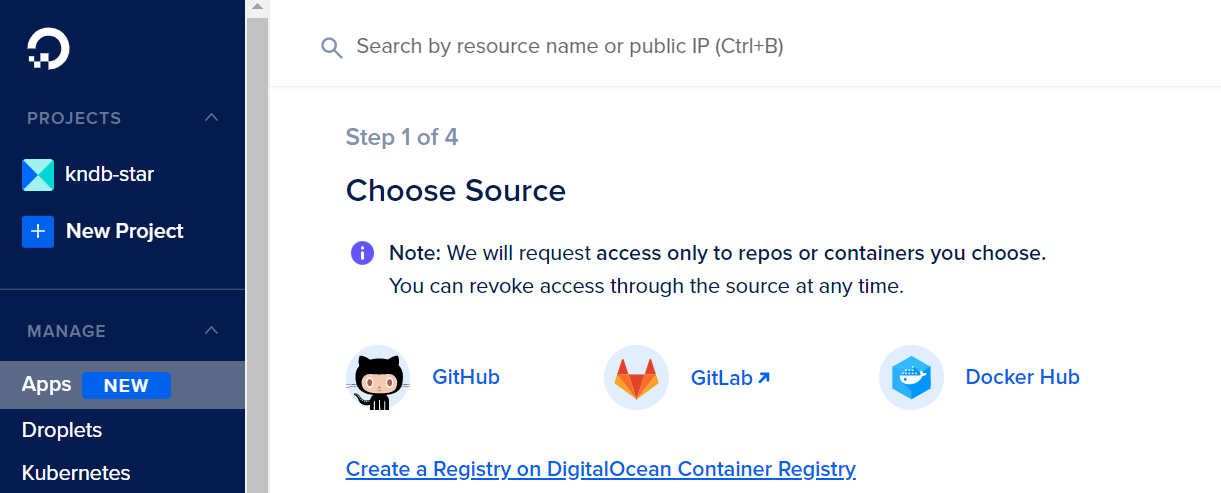
* **Create a new app, select source as GitHub**
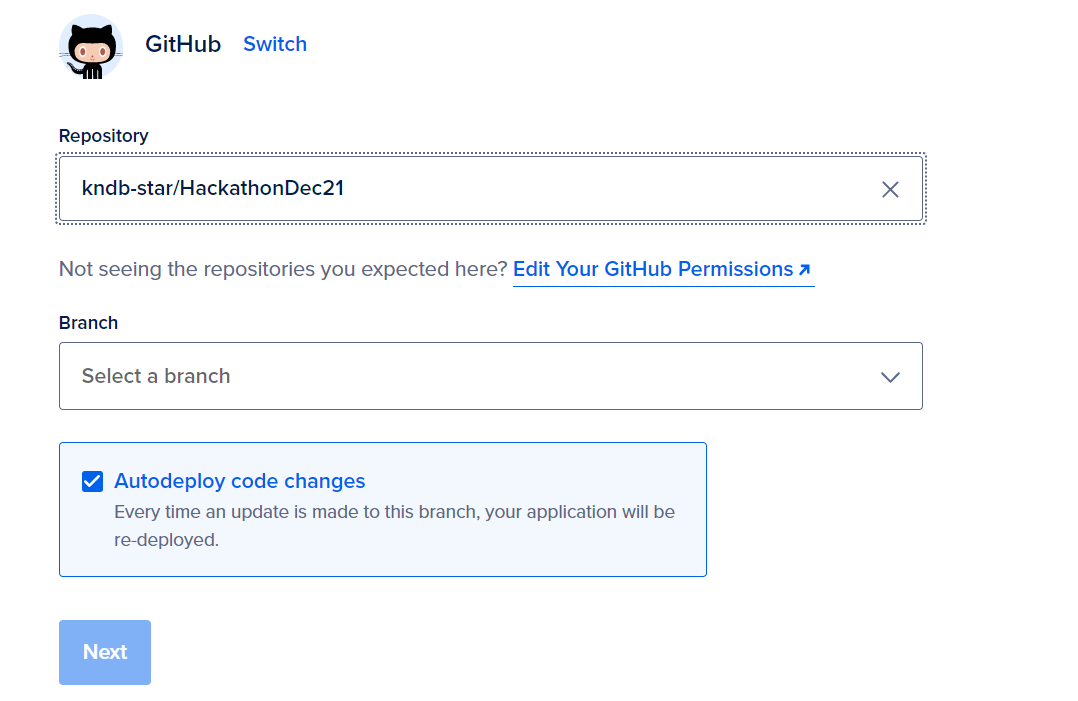
* **Select your repository and branch**
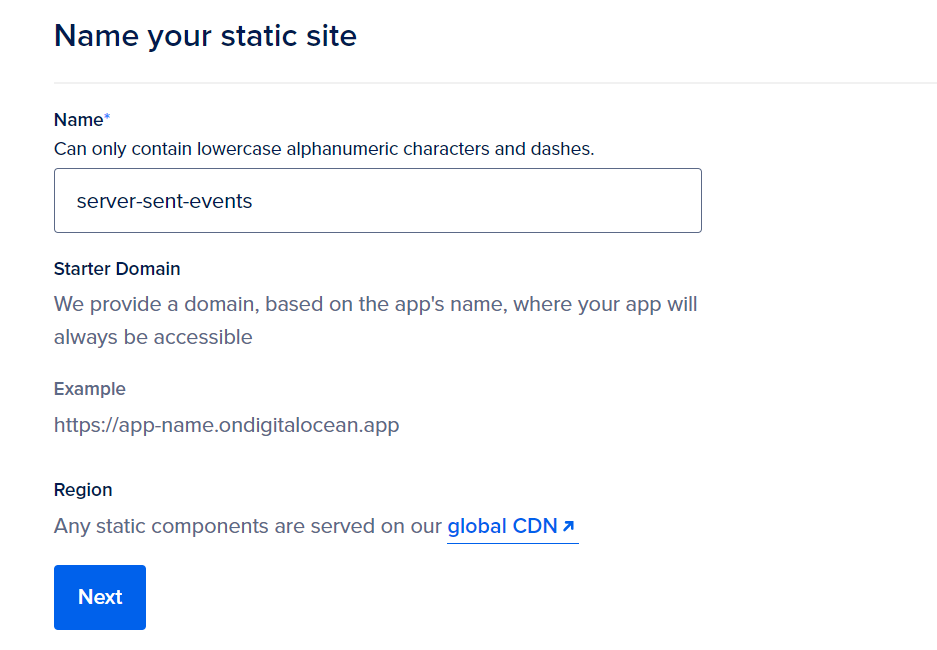
* **Name your static site**
* **Select starter pack and launch**
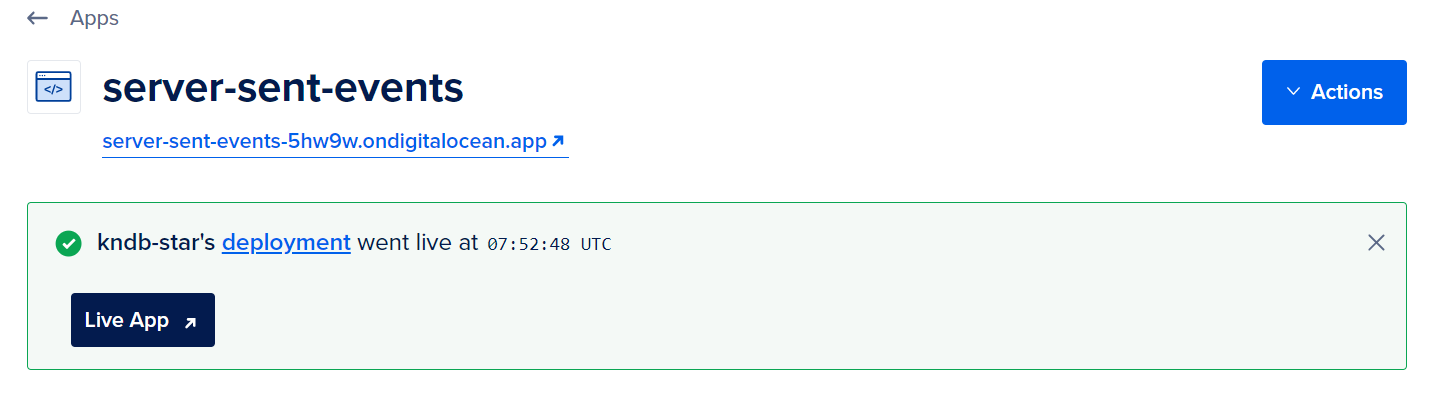
* **Once the build completes we should have our page deployed at a public URL**
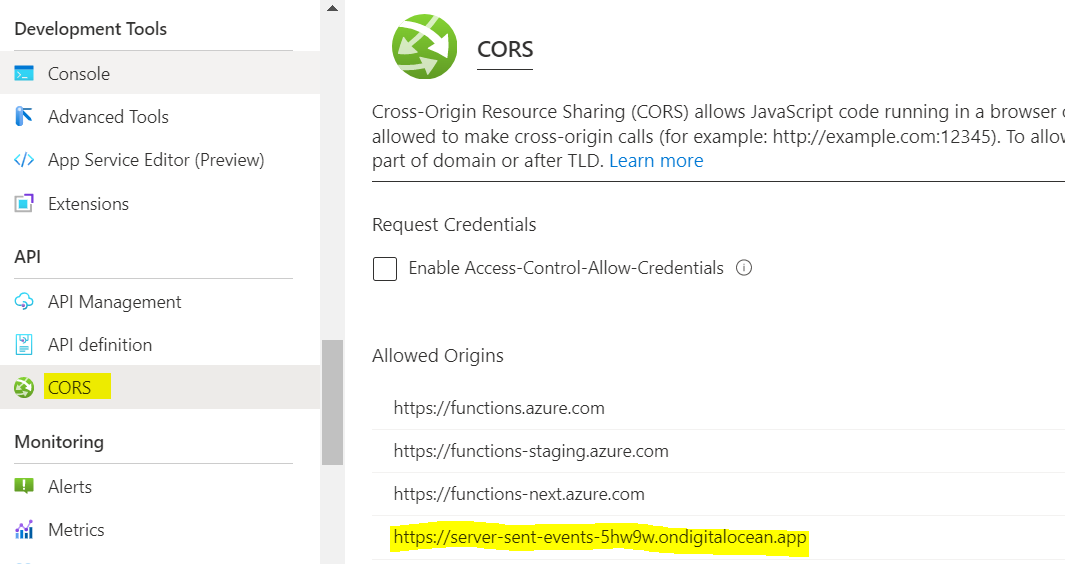
* **Dont forget to add a CORS entry in your Azure function app for this URL**
## Final outcome
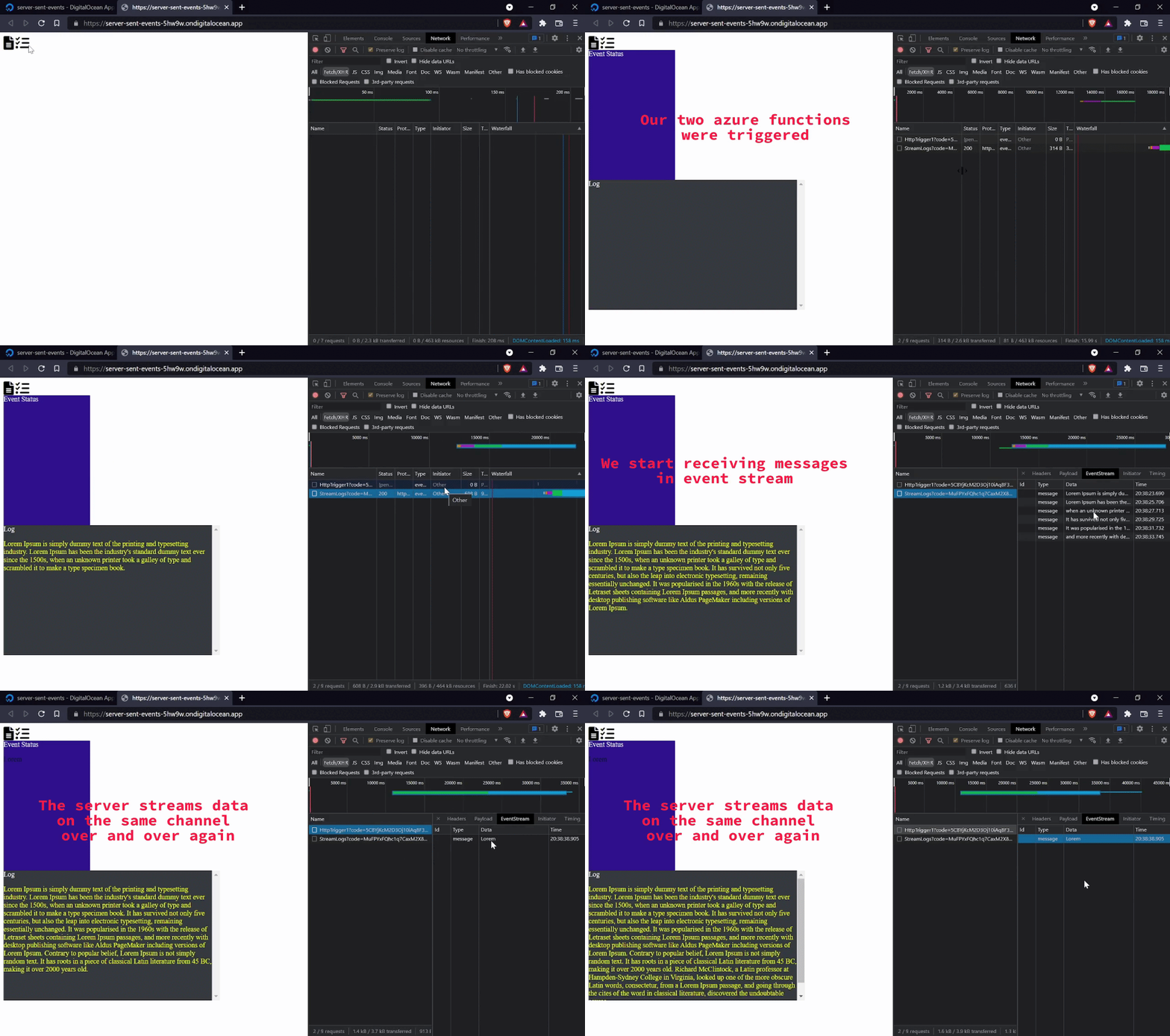
* By default, if the connection between the client and server closes, the `connection is restarted`, until it is explicitly closed by the client.
* `Multiple events` can be transferred over the same channel.
* `Different events` can be transferred over the same channel.
## Break down of 24hrs
* ~10% spent on wrapping my head around what I wanted to build, feasibility in my mind
* ~20% spent on creating and testing azure functions
* ~40% spent on front end code :( i hate css
* ~20% spent on bringing it all together and e2e testing
* ~10% on prep for demo
* Also I did some basic research even before hackathon day 🤓
## Few takeaways
* Make sure to ensure feasibility, you don't want to bang your head and end up pivoting, no harm in doing some `research`.
* Keep accounts created beforehand with `max max max access`.
* `Jump straight into demo`, do not build fancy presentations, there is no point if you cant showcase what you were able to build.
* Keep some `buffer for questions`, more questions mean people actually are interested and find value, **OR** they just didn't get it, in any case you get to explain them again.
## Resources
1. Mozilla documentation on [Server sent events](https://developer.mozilla.org/en-US/docs/Web/API/Server-sent_events)
2. Checkout [DigitalOcean](https://try.digitalocean.com/freetrialoffer/)
3. Checkout [Azure functions](https://azure.microsoft.com/en-us/services/functions/)