


You read it right, go ahead and search for faulted errors, socket exceptions in your favorite instrumentation tool (azure application insights, new relic etc), there is a very high chance you are going to find few of these logged.
Here is a snippet from one of our sandbox application insights

The criminal
Transient failures
These failures can occur anytime, irrespective of the platform, the operating system, the programming language you are using to build your application. On a bad day, your application would simply not respond to key actions giving an impression to the end user that the system in place is highly unreliable.
There could be various reasons for such kind of failures, network issues, temporary unavailable services, server not able to respond in time(timeouts), some idiot spilled coffee on the server where your service is hosted etc.
With a paradigm shift towards cloud, these kind of errors have become more and more prominent. You are not going to get rid of them, but you could make your system more resilient and fault tolerant to such kind of failures.
💡 Note
They are often self-correcting, if the action is repeated again it is likely to succeed.
On your SSR enabled react app, you could notify the user to wait for sometime and try again, but microservices/components behind the scenes communicate with each other all the time, strategies have to be in-place beforehand, manual intervention just wont work in this case.
Polly
Enter Polly - A library that enables resilience and transient-fault-handling in your .NET application.
I am going to talk about 3 types of policies that I have used in my projects.
- Fixed amount of retries but retry after an interval
- Fixed amount of retries but retry with exponential backoff
- Circuit breaker policy
Base setup
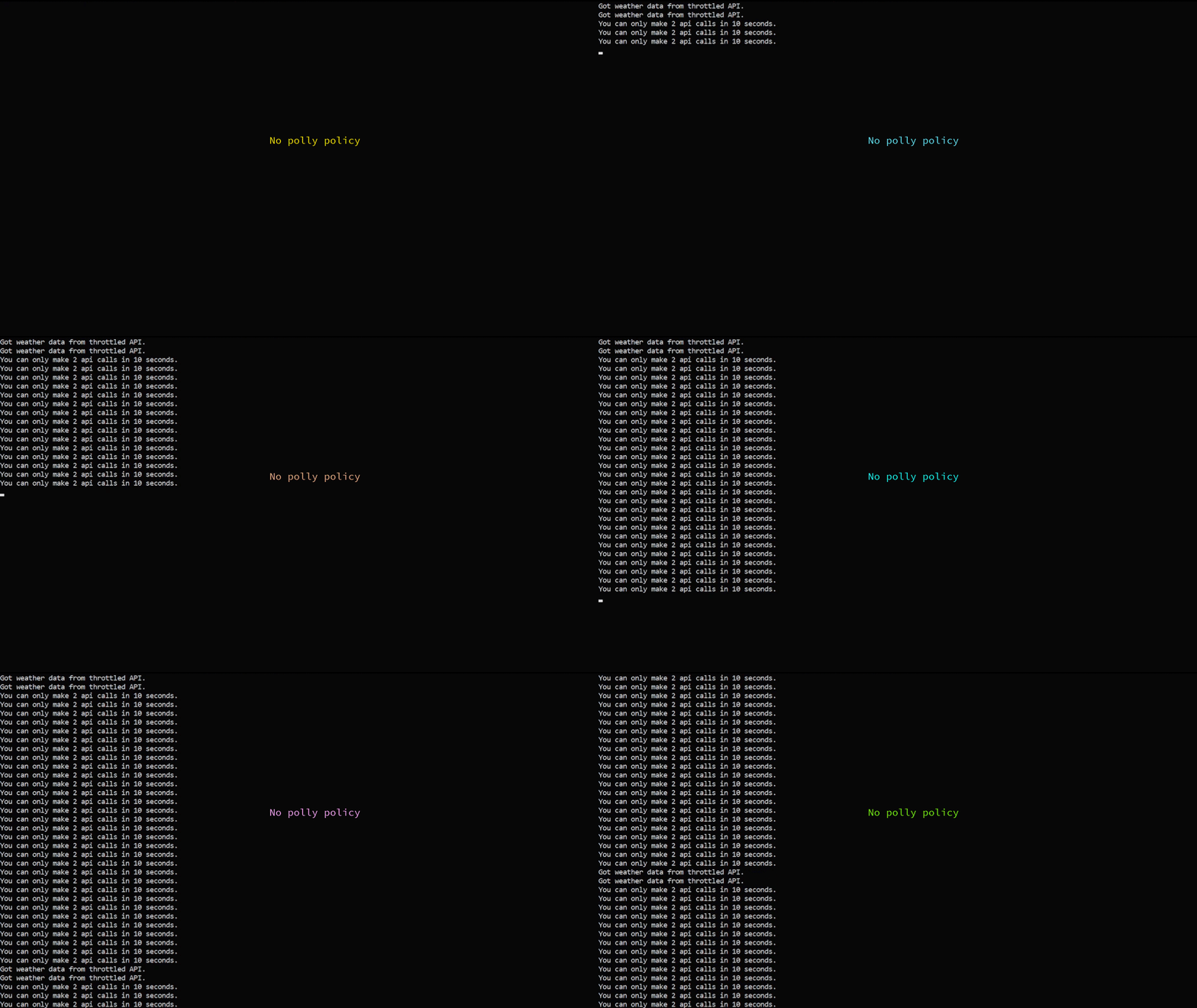
I exposed a throttled api which accepts only 2 requests in 10sec from a particular IP address. The API would respond with a 429 response code and a message. We will call this API continuously and see behaviour as a result of polly policies.
Behavior without any policy in place
💡 Note
In production environments, the behavior would be one failure and we are done, no further execution.
Fixed amount of retries but retry after an interval
⚙️ Setup in place
If response code is 429(too many requests) -> retry 3 times, wait for 2 sec before each retry.
var asyncRetryPolicy = Policy.HandleResult<HttpResponseMessage>(r => r.StatusCode == System.Net.HttpStatusCode.TooManyRequests)
                   .WaitAndRetryAsync(
                    3,
                    (retryNumber) => TimeSpan.FromSeconds(2),
                    (exception, attemptTimespan) =>
                    {
                            Console.WriteLine($"[Polly] - Encountered an error: \"{ response.Result.Content.ReadAsStringAsync().Result}\" - Retrying after {attemptTimespan.TotalSeconds} sec.");
                    });
// run in loop
await asyncRetryPolicy.ExecuteAsync(async () => await httpClient.GetAsync("endpoint"));
Behavior with policy in place

Fixed amount of retries but retry with exponential backoff
⚙️ Setup in place
If response code is 429(too many requests) -> retry 3 times, 1st retry after 2 sec, second retry after 4 sec, third retry after 8 sec.
var asyncRetryPolicy = Policy.HandleResult<HttpResponseMessage>(r => r.StatusCode == System.Net.HttpStatusCode.TooManyRequests)
                   .WaitAndRetryAsync(
                    3,
                    (retryNumber) => TimeSpan.FromSeconds(Math.Pow(2, retryNumber)),
                    (exception, attemptTimespan) =>
                    {
                            Console.WriteLine($"[Polly] - Encountered an error: \"{ response.Result.Content.ReadAsStringAsync().Result}\" - Retrying after {attemptTimespan.TotalSeconds} sec.");
                    });
// run in loop
await asyncRetryPolicy.ExecuteAsync(async () => await httpClient.GetAsync("endpoint"));
Behavior with policy in place

Circuit breaker policy
⚙️ Setup in place
If response code is 429(too many requests) -> And it happens for 3 times consecutively, open the circuit for 10 sec so that no further API calls can go through.
var circuitBreakerPolicy = Policy.HandleResult<HttpResponseMessage>(r => r.StatusCode == System.Net.HttpStatusCode.TooManyRequests)
           .CircuitBreakerAsync(3, TimeSpan.FromSeconds(10),
            (response, attemptTimespan) =>
            {
                       Console.WriteLine("[Polly] - Circuit is open for 10 sec.");
             },
             () =>
             {
                       Console.WriteLine("[Polly] - Circuit closed, requests flow normally.");
             });
// run in loop
await circuitBreakerPolicy .ExecuteAsync(async () => await httpClient.GetAsync("endpoint"));
Behavior with policy in place
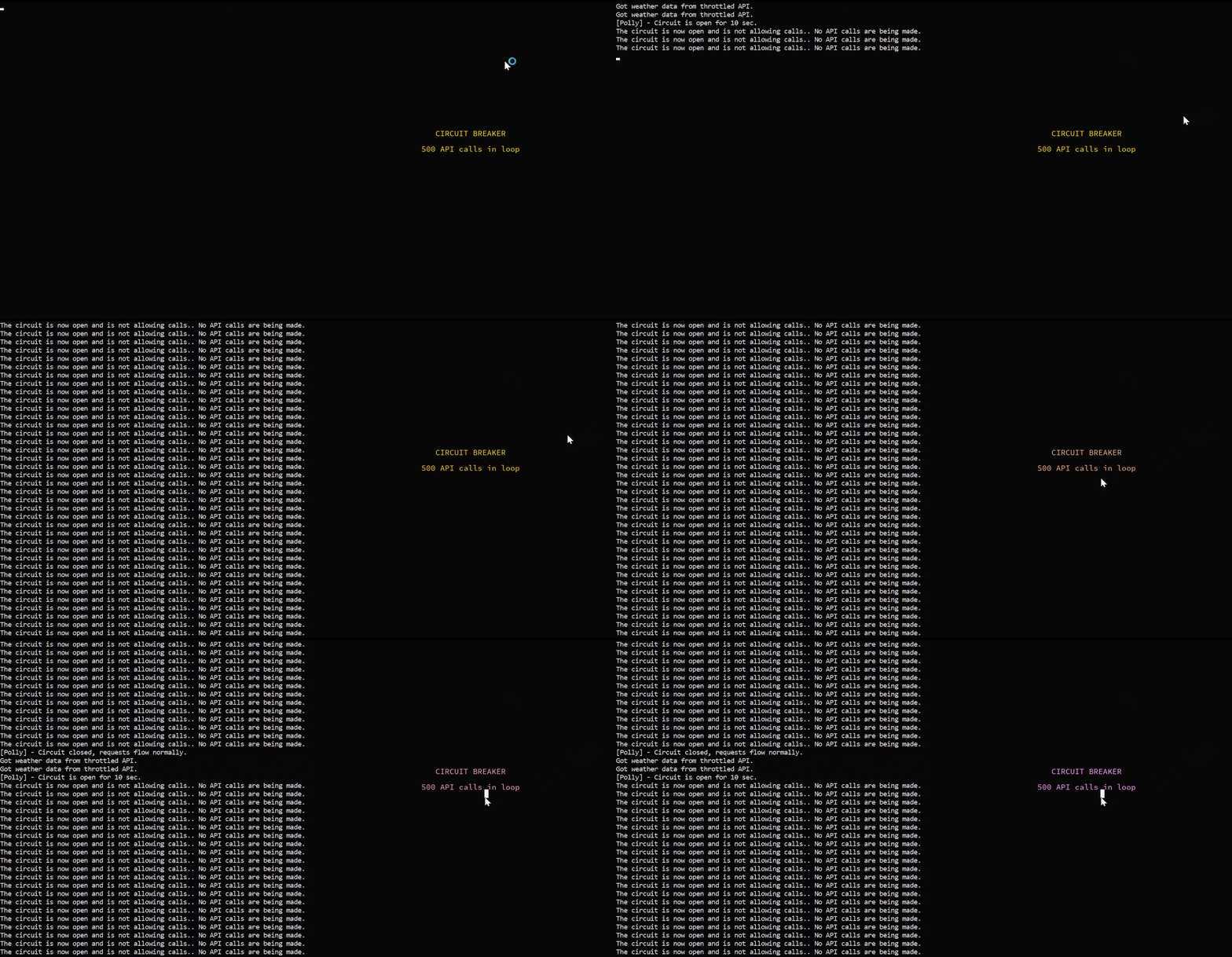
In this post, I created a policy around the 429 http response code but you can write your policies around any kind of transient fault, or any kind of http response code(even treat 200 response as a failure 🙃 and do something about it) its all configurable. Polly provides a lot of resiliency options. Do check out their GitHub page here.
Thank you for going through this post. I hope you had some takeaways from it. Cheers!
About the author
Developer on weekdays, koala on weekends.
Still recovering from Sir Alex's retirement.
Comments
Join the discussionNo comments yet. Be the first to comment.


